Basic Linux Commands
Day 2 of 90 Days of DEVOPS
We are going to run some simple linux commands on my personal IMAC.
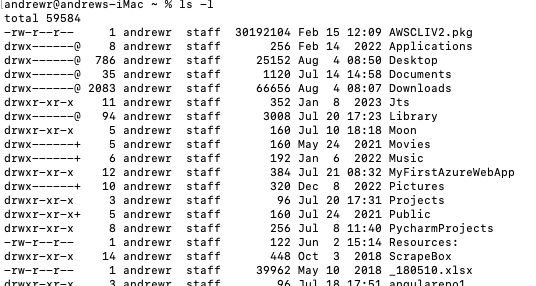
1) ls -l (this lists all the files and directories in a long format)
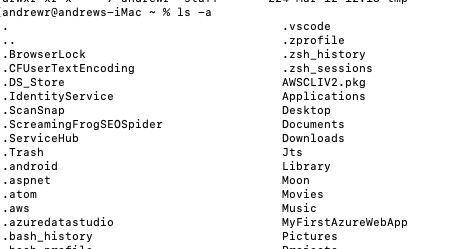
2) ls -a (lists all files including the hidden ones)
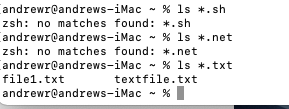
3) ls *.sh (this lists all the files with an sh extension. I don't have any so i ran a command with .txt)
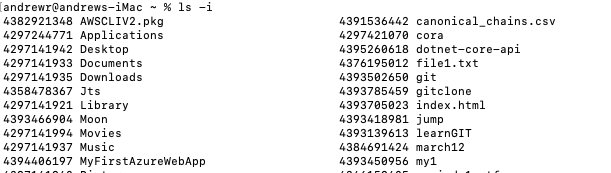
4) ls -i (lists all files and directories with index numbers inodes)
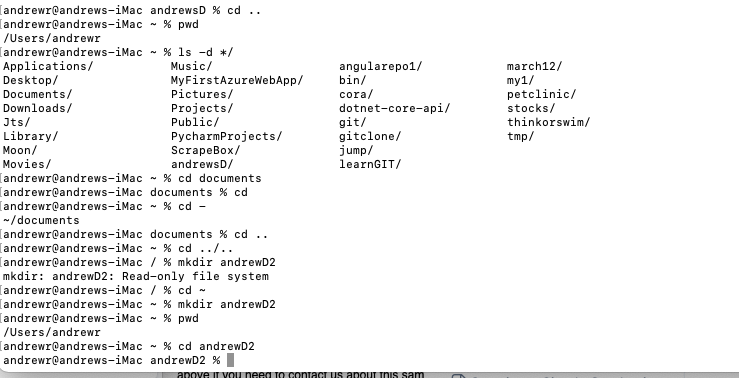
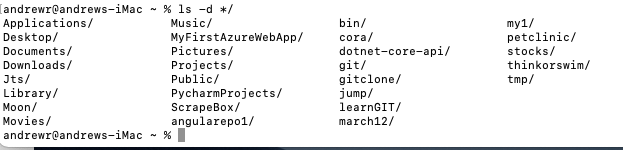
5) ls -d */ (lists only the directories)
Now let's run some directory commands.
pwd = present working directory
cd documents = changes directory to documents
cd - = changes back to last working directory
cd .. = changes directory to one step back
cd ../.. = changes directory 2 levels back
mkdir = adds a new directory in a specific location